Booking & payment guide
Get started with Simplyfoot
Get the free SportSnow app or visit sportsnow.ch. Four steps to your first training session.
Good to know
You can pay conveniently with Mastercard or VISA.
Book football academy sessions and passes through SportSnow, in your browser or the free app. After registering, you can see at a glance:
- all training times and available places
- Your booked sessions
- the remaining sessions on your pass
Register for football and holiday camps using our own form on this website. You will then receive the invoice by email.
Each child needs their own account with their first name, surname and date of birth, so bookings are assigned to the correct age group.
Questions about an invoice, a confirmation for your employer or paying in instalments? Contact us – we will find a solution for your family so no child has to miss out because of cost.
-
1
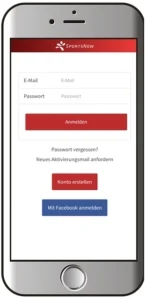
Register
Download the free SportSnow app or visit sportsnow.ch and register. Important: use your child's first name, surname and date of birth – each child needs their own account.
-
2
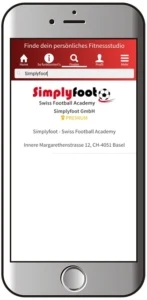
Find Simplyfoot
Under “Find” → “Find fitness studio”, search for Simplyfoot and tap the heart at the top right to save us as a favourite.
-
3
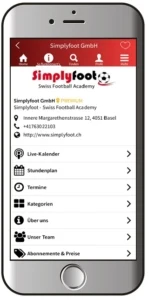
Book training
The live calendar and timetable show all sessions. Choose a date and book directly – including a free trial session. Your passes and remaining sessions are also shown here.
-
4
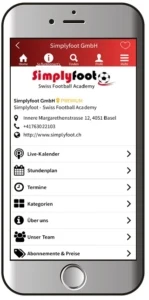
Manage
Under “My classes”, you can view and, if needed, cancel your bookings. Please observe the cancellation deadline.